Leaves Digital Paper
If you’ve ever spent 20 minutes searching for the *right* leaf-themed background—only to find it’s low-res, watermarked, or locked behind a subscription—you’ll appreciate how Leaves Digital Paper solves that quietly, reliably. It’s not just another nature pattern. It’s a versatile, print-ready digital paper designed for people who need something beautiful *and* functional—today, not after three rounds of revisions or licensing checks.
What You’re Actually Getting (No Surprises)
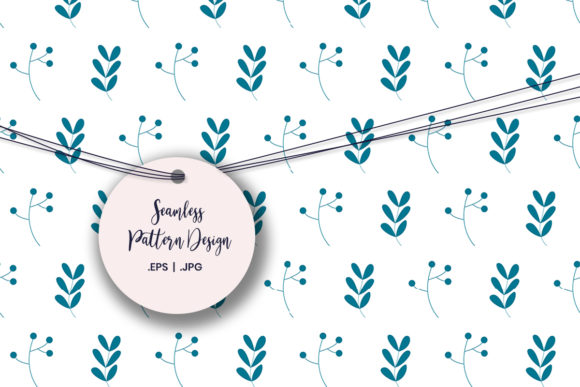
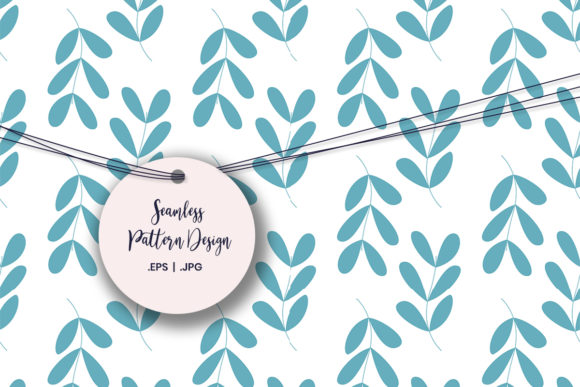
Leaves Digital Paper is a single cohesive design featuring organic, hand-inspired leaf motifs—think soft outlines, subtle layering, and gentle negative space—not clipart or stiff vector cutouts. You receive two formats: an editable EPS 10 file (ideal for designers adjusting colors, scaling infinitely, or integrating into layouts in Illustrator or InDesign), and a high-resolution JPG (perfect for quick drag-and-drop use in Canva, PowerPoint, Google Docs, or home printers). Both are delivered instantly after purchase—no waiting, no account creation, no upsells.
One practical note worth keeping front-of-mind: The colors on your screen may be slightly different from the actual print. That’s normal—it’s due to monitor calibration and printer profiles. If you’re printing invitations or branded labels, do a small test print first. For digital-only uses (like social media graphics or Zoom backgrounds), what you see is what you’ll use.
Where This Design Fits Into Real Life—Not Just “Creative Projects”
Let’s skip the vague “great for crafts!” language. Here’s where Leaves Digital Paper shows up meaningfully:
- Teachers prepping classroom materials: A third-grade science unit on plant life? Print the Leaves Digital Paper as full-page handouts for labeling leaf parts—or layer it under student-drawn diagrams in a digital worksheet. It adds visual calm without distracting from learning.
- Small-batch makers wrapping handmade soap or candles: Swap out generic kraft paper for custom-printed wrapping using this design. It elevates unboxing without requiring a custom print run—just load the JPG into your home inkjet and print on matte cardstock.
- Freelance designers building brand assets for eco-conscious clients: Need a subtle background for a client’s newsletter header or presentation deck? Leaves Digital Paper works as a quiet, professional texture—more refined than stock photos, more intentional than a solid green fill.
- Parents planning a birthday party on a Sunday afternoon: No time to learn Procreate? Open the JPG in any free photo editor, crop to fit a 5x7 card size, add text (“You’re invited to Maya’s Garden Party!”), and print at home—or upload directly to a local print shop’s online portal.
- Educators creating printable behavior charts or reading logs: Use the EPS version to isolate one leaf cluster, convert it to a watermark-style overlay, and place it behind student names or weekly goals. It feels personal, not corporate.
Why Format Choice Matters More Than You Think
The dual-format delivery isn’t just convenience—it reflects how people actually work. If you’re editing in Adobe software or preparing files for a commercial printer, the EPS gives you full control: change the green to match your brand palette, remove stems to simplify the motif, or scale to cover a 24x36-inch poster without pixelation. But if you’re a blogger adding visual interest to a Pinterest pin or a homeschool parent making flashcards in Canva, the JPG is faster, lighter, and universally compatible.
That flexibility means Leaves Digital Paper doesn’t sit unused in a downloads folder. It gets opened, adjusted, printed, shared—and reused across contexts. One user told us she used the same file for her daughter’s school project poster, her Etsy shop banner, and the background of her weekly planner PDF—all within one week.
When Simplicity Is the Real Superpower
This isn’t a maximalist pattern. There are no glitter effects, no neon accents, no competing textures. The leaves are spaced with breathing room. The tones are muted but rich—olive, sage, soft khaki—not electric lime or cartoon green. That restraint is intentional. It makes Leaves Digital Paper adaptable rather than prescriptive.
For example: A wellness coach launching a new meditation guide can use it as a subtle background behind clean typography—calming but not cutesy. A real estate agent staging a listing with “nature-inspired” branding can drop it into a social media carousel slide showing backyard features—grounded, not gimmicky. A scrapbooker documenting a family hike doesn’t need to fight the pattern; the leaves complement photos of ferns and trails instead of competing with them.
Things to Consider Before You Download
Leaves Digital Paper is licensed for both personal and commercial use—including selling physical items you make with it (like greeting cards or gift tags). But it’s not a font or a template builder—it won’t auto-generate 100 label variations or adjust spacing for every envelope size. You’ll still do the layout work. That’s by design: it gives you control, not shortcuts.
If you need dozens of coordinated patterns (e.g., matching borders, icons, or coordinating solids), this is one standalone design—not a full kit. And while the colors translate well to most printers, heavy ink coverage on dark paper or metallic stock may require testing. For large-volume commercial printing (think 500+ greeting cards), confirm with your printer whether the JPG resolution meets their press requirements—or use the EPS for full fidelity.
Who Benefits Most—and How They Use It Differently
A freelance graphic designer might open the EPS in Illustrator, recolor the leaves to match a client’s logo, then export as a seamless tile for web use. A kindergarten teacher might insert the JPG into a Google Slides template, lock the background, and type daily learning objectives over it—no design skills needed. A small business owner selling herbal teas might print it on sticker paper, cut out circles, and seal jars with custom “hand-picked” labels.
What ties those uses together isn’t the tool—it’s the outcome: saving time, adding quiet intentionality, and avoiding the visual fatigue of overdesigned or generic alternatives. Leaves Digital Paper doesn’t shout. It supports. It grounds. It stays useful, long after the initial download.
Realistic Expectations, Real Results
This won’t replace your entire design toolkit. It won’t automate your workflow. But it will eliminate one specific friction point: finding a leaf-based visual that looks thoughtful, prints cleanly, and works across mediums—without digging through ten pages of search results or negotiating usage rights. It’s the kind of resource you bookmark, not just download. The kind you recommend to a friend mid-project because it *just worked*—no caveats, no learning curve, no follow-up emails.
Whether you’re printing five birthday invites or fifty branded product labels, whether you’re teaching photosynthesis or designing a retreat brochure, Leaves Digital Paper offers consistency without repetition, nature without cliché, and utility without compromise.