Leather Texture Background
A leather texture background brings instant warmth, depth, and tactile authenticity to any visual project—whether you’re designing a luxury brand logo, crafting social media posts for a boutique coffee shop, setting up a professional desktop wallpaper, or assembling a memory scrapbook. Unlike flat, synthetic-looking fills, genuine leather texture backgrounds suggest craftsmanship, durability, and quiet sophistication. That’s why designers, marketers, educators, and hobbyists alike turn to them: they communicate quality without saying a word.
But not all leather texture backgrounds deliver what they promise—and that’s where many creators stumble. A quick search yields dozens of “leather” digital papers labeled as “high-res” or “realistic,” yet too often, they fall short in ways that only become obvious after hours of editing or after printing a client’s business cards. Let’s clear up the common missteps—and how to avoid them.
Assuming “Leather-Looking” Means “Leather-Feeling”
Many free or low-cost downloads mimic leather with heavy filters, exaggerated grain, or inconsistent lighting—creating a cartoonish or plastic-like effect. These aren’t subtle textures; they’re visual noise. When layered under text or overlaid with graphics, they compete instead of complement. Worse, they rarely scale well: zoom in on a 72 DPI JPEG labeled “leather,” and you’ll see pixelation, blur, or artificial repetition—not the organic variation found in real leather.
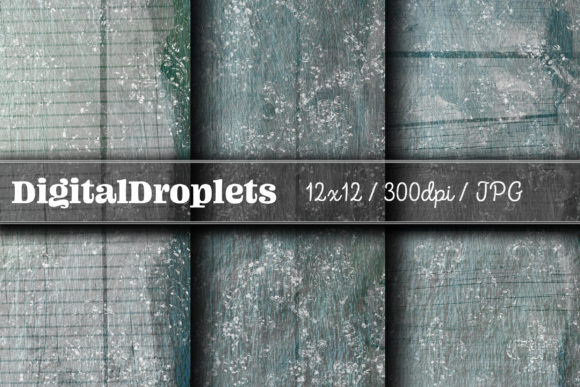
Better approach: Prioritize resolution and natural variation. This set delivers true high-resolution JPEGs at 4256 × 2832 pixels—large enough for print and crisp on retina displays. More importantly, each image captures nuanced UV digital-like textures: soft creases, gentle tonal shifts, and realistic light absorption across different shades (charcoal, cognac, espresso, taupe). No tiling artifacts. No over-processed grain. Just usable, grounded realism.
Overlooking Color Mode and Compatibility
It’s easy to download a beautiful leather texture—then discover it’s saved in CMYK mode (meant for commercial print) and looks washed out or dull on screen. Or worse: it’s RGB but embedded with an uncalibrated color profile, causing mismatched hues across devices. For social media banners, mobile backgrounds, or digital presentations, RGB is essential—and this set uses standard sRGB, ensuring consistent, vibrant results whether viewed on iPhone, MacBook, or Windows laptop.
Also worth noting: some “digital paper” packs include PSD files with layers or blending modes—but if you use Canva, Affinity Designer, or even basic photo editors, those won’t open or behave as expected. JPEGs, however, are universally supported, lightweight, and ready to drag-and-drop into any workflow.
Misjudging Scale and Use Case Fit
A common oversight? Choosing a texture optimized for small UI elements (like button overlays) and trying to stretch it full-screen as a desktop wallpaper. The result? Blurry edges, stretched grain, or visible seams. Conversely, using an ultra-detailed, macro-level leather close-up for a tiny Instagram story sticker can make it feel overwhelming and hard to read against.
This collection avoids that trap by offering balanced framing: each image has generous negative space and natural flow, so cropping for mobile (9:16), desktop (16:9), or square social posts (1:1) is intuitive—not forced. And because they’re 300 DPI, they hold up beautifully both digitally and in print—ideal for physical scrapbooking, custom stationery, or branded merchandise mockups.
Ignoring Customization Flexibility
Some texture packs lock you into fixed tones—say, only black or brown—limiting your palette options. Others apply irreversible color overlays or baked-in shadows, making adjustments impossible without degrading quality. That’s frustrating when you need to match a brand’s hex code or soften contrast for accessibility.
These leather texture backgrounds are intentionally neutral and clean: no preset filters, no locked opacity, no embedded watermarks. You can adjust brightness, hue, saturation, or blend mode freely—without losing fidelity. Want a muted sage leather for an eco-brand? Desaturate slightly and overlay a soft green tint. Need richer contrast for a bold presentation slide? Boost clarity in Lightroom or Photoshop—no banding, no artifacting.
Skipping the Practical Checks Before Download
Before adding any digital texture to your toolkit, ask yourself three things:
- Is the file size appropriate for my use? Tiny 100 KB JPEGs rarely contain real detail. This set’s files average 4–7 MB—enough data to preserve texture integrity without bloating your cloud storage.
- Can I preview before buying? Reputable sellers offer thumbnail grids showing actual shade range and grain consistency—not just one glossy hero image. This pack includes multiple distinct tones, so you’re never stuck with a single look.
- Is licensing clear and creator-friendly? These files come with broad personal and commercial use rights—no attribution required, no limits on client projects or product resales (e.g., printable planners, Canva templates, or digital stickers).
And remember: this is a digital download. No shipping delays, no inventory limits, no physical swatches to wait for. You get immediate access to all files—ready to import, crop, layer, or adapt within minutes.
Why This Set Fits Real Workflows—Not Just Ideals
Freelancers building pitch decks appreciate how quickly a warm leather texture background elevates a dry financial summary. Educators designing printable classroom resources find the neutral tones reduce eye strain while adding visual interest. Small business owners launching a new product line use these textures to unify packaging mockups, email headers, and Instagram highlights—all from one cohesive source.
Even beginners benefit: there’s no steep learning curve. Drag a JPEG into Canva, set it as a background, add semi-transparent text boxes, and you’ve got polished visuals in under two minutes. No plugins. No tutorials needed. Just reliable, professional-grade texture—designed to support your message, not distract from it.
If you’ve ever spent too long hunting for a leather texture background that actually works—without requiring fixes, workarounds, or apologies to clients—you already know how much time and confidence a truly dependable resource saves. This isn’t about chasing trends. It’s about having a quiet, versatile tool that does its job, consistently, so you can focus on what matters most: your ideas, your audience, and your next creative step.